App Showcase
See what ClawDesk looks like before you install it. Here's every page in the app, with a quick explanation of what each one does.
Chat — Your AI Conversation Hub
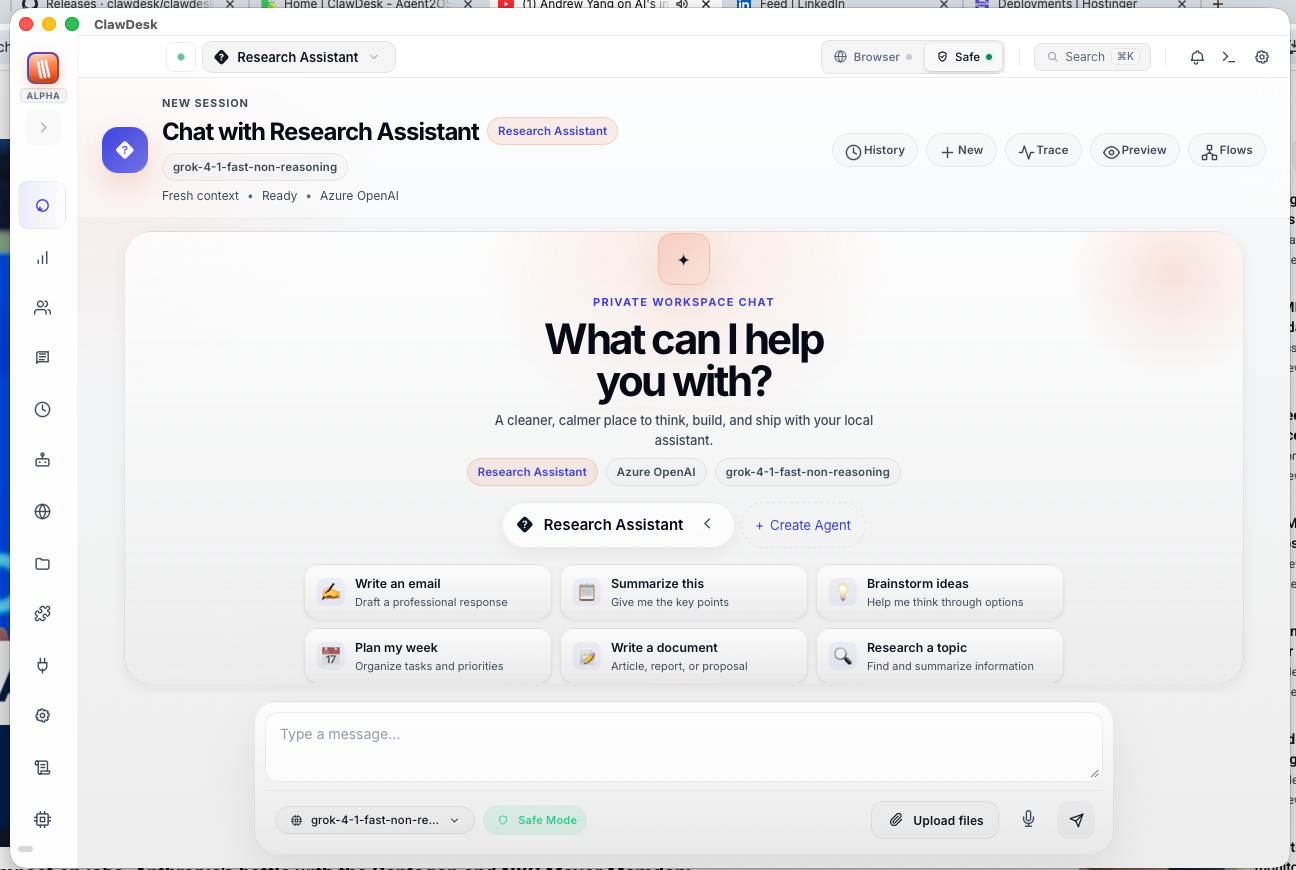
The main screen. Type a message, pick an AI model (Claude, ChatGPT, Gemini, etc.), and get a response. Switch models mid-conversation, attach files, or use voice input. Responses stream in real time.
This is where you'll spend most of your time.
Overview — Your Dashboard
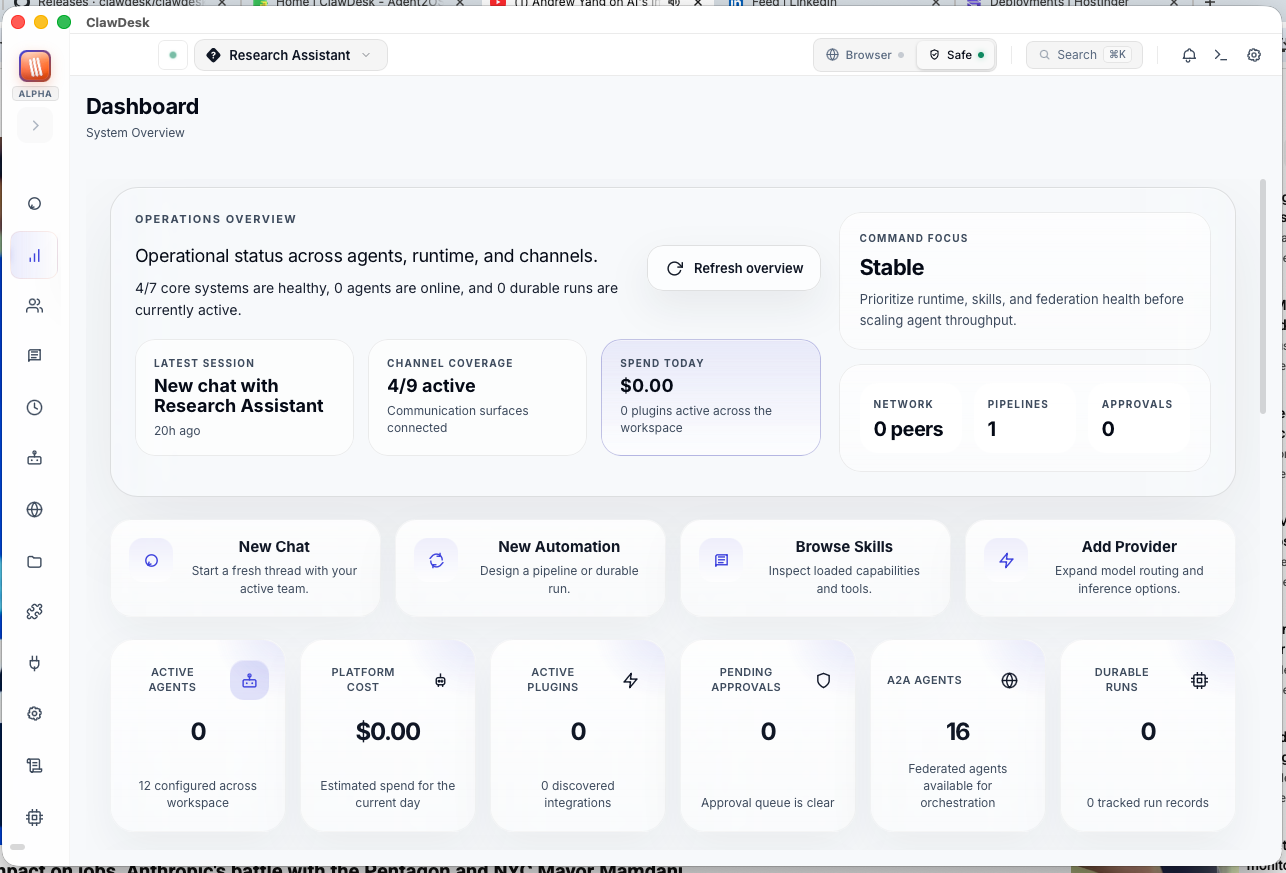
Your mission control. See the health of all systems, active agents, connected channels, and cost metrics at a glance. Quick links let you jump to any section.
Agents — Your AI Team
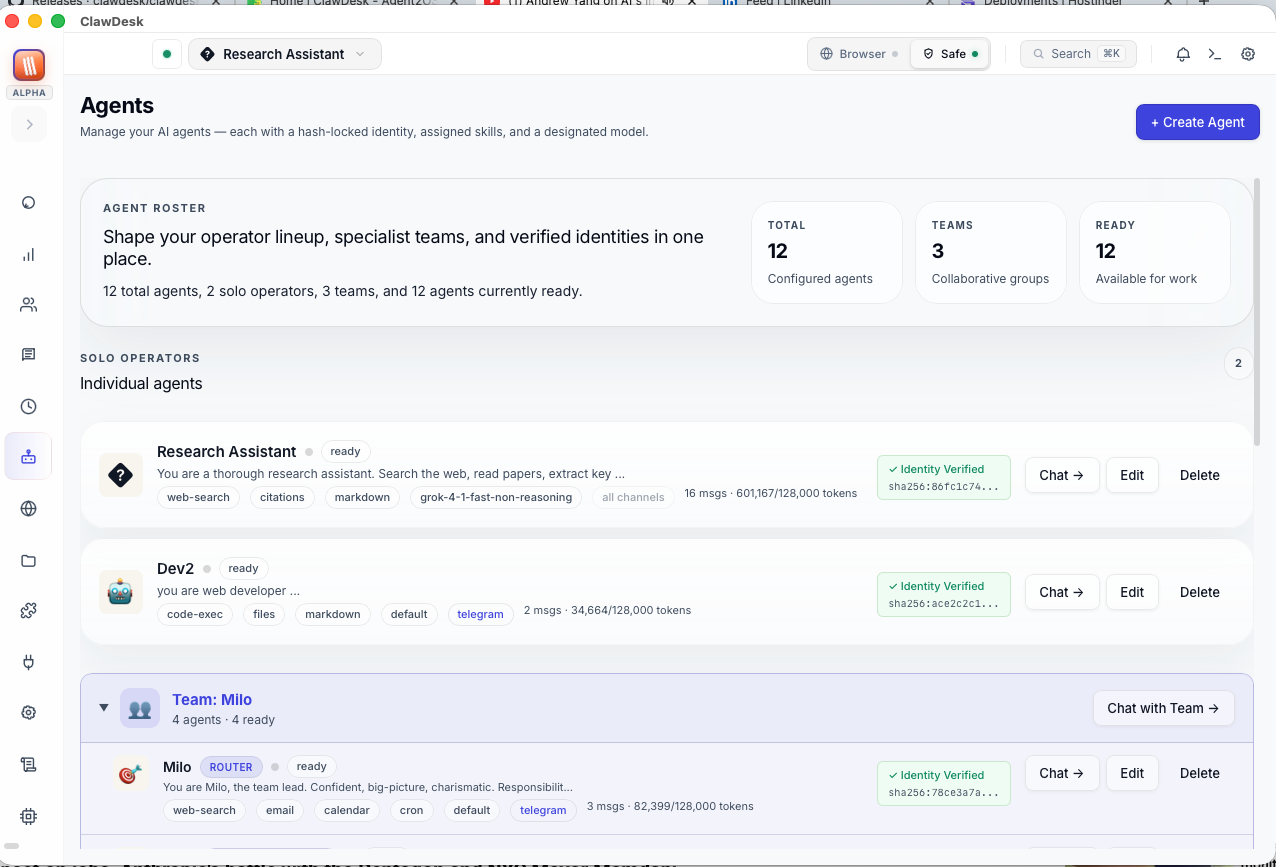
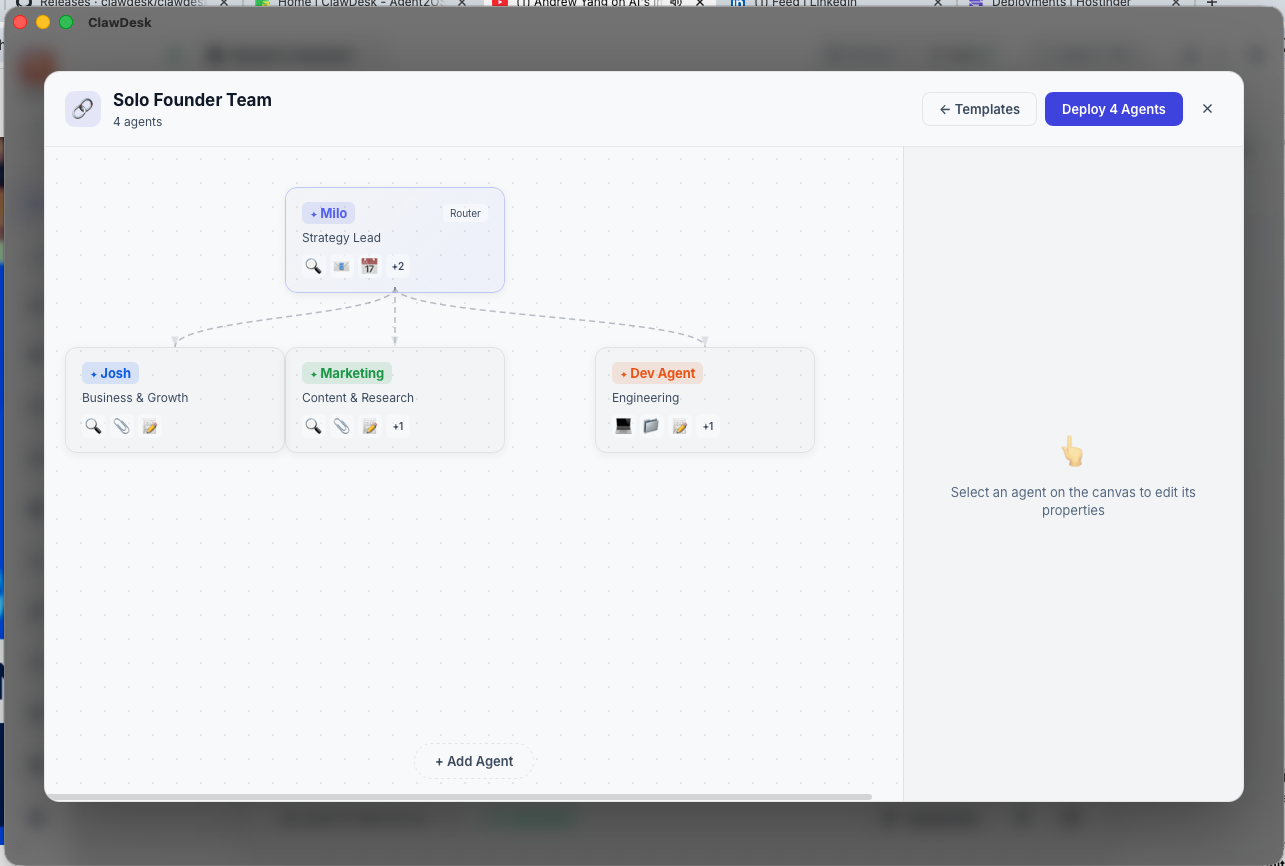
Create specialized AI assistants — a "Writing Coach," a "Code Reviewer," a "Research Helper." Each agent has its own personality, instructions, and skills. You can even build teams where agents collaborate on complex tasks.
Channels — Connect Your Apps
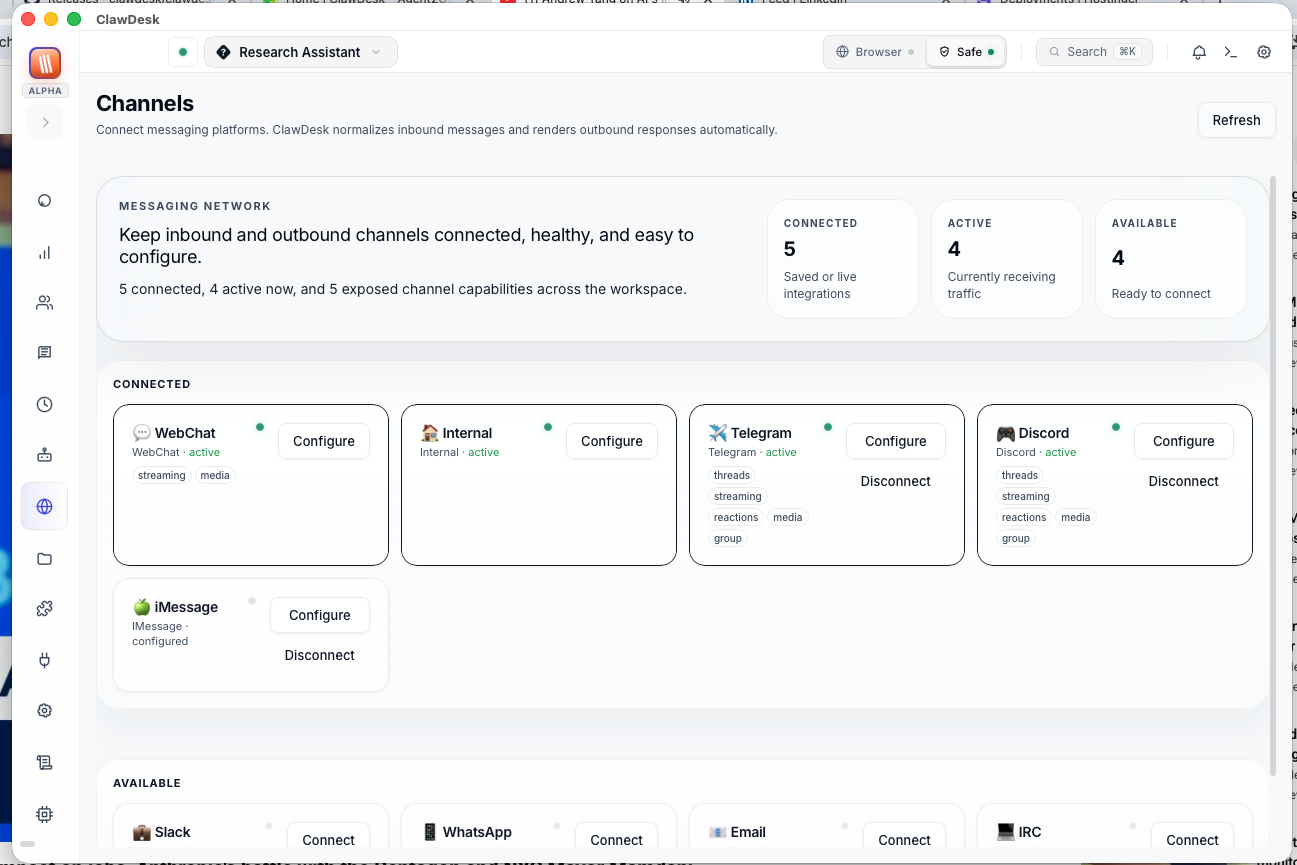
Connect Telegram, Discord, Slack, WhatsApp, and 25+ other messaging platforms. Your AI agents respond to messages there automatically. Green dot = connected and running.
Learn how to connect channels →
Skills — Abilities for Your Agents
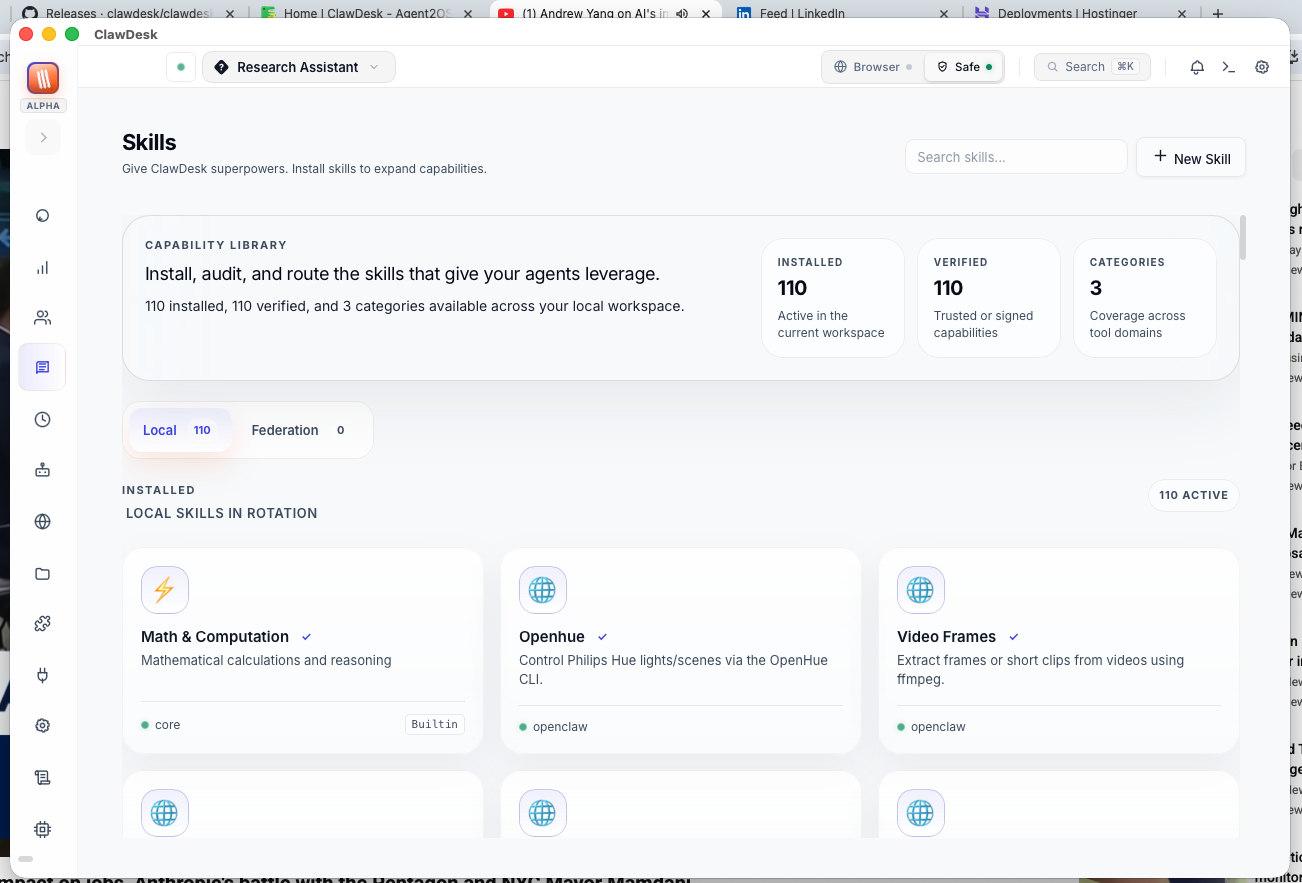
Browse and install skills — web search, code execution, file reading, and more. Skills are like apps for your agents. Verification badges show which skills are trusted.
Scheduled Jobs — Automation Center
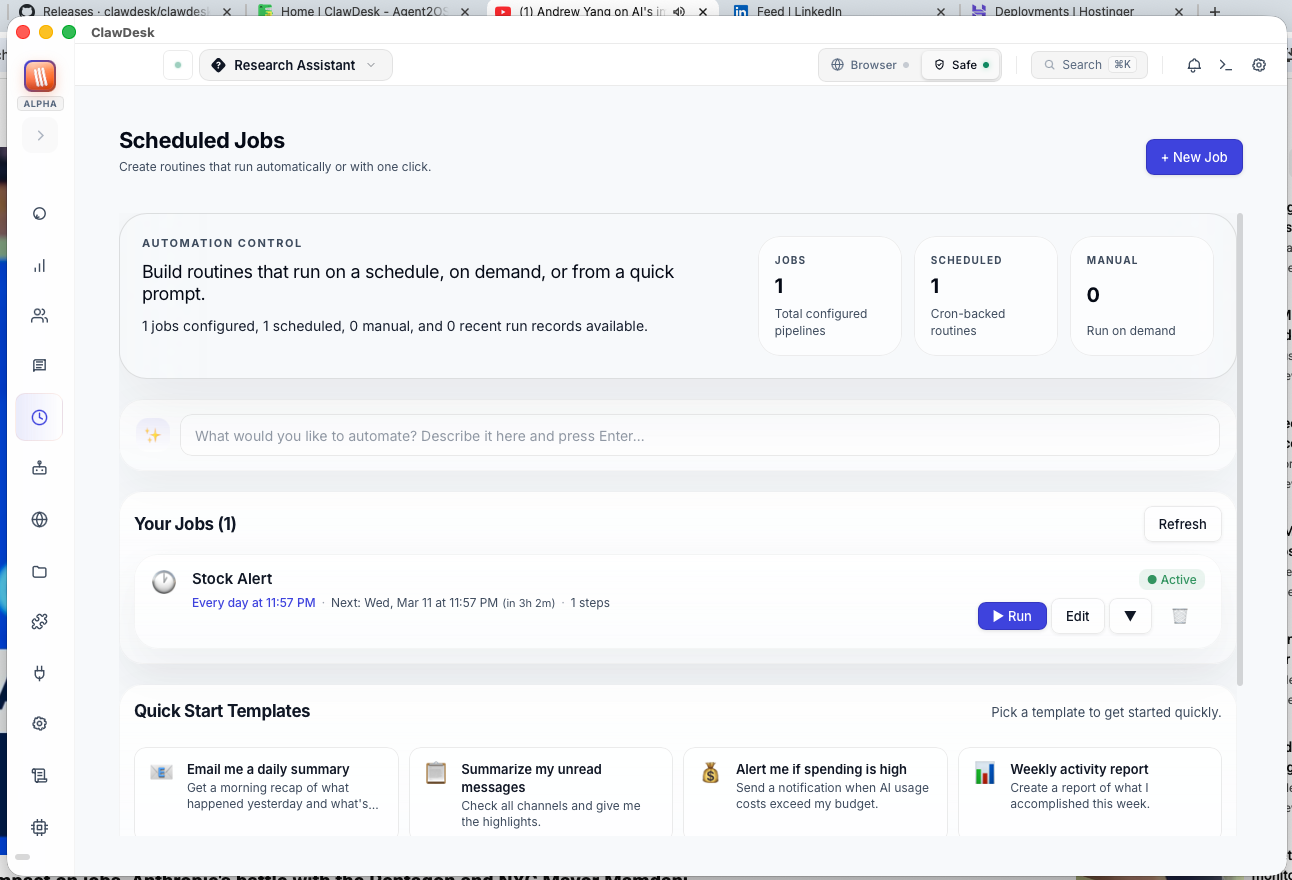
Set up tasks that run automatically. Get a daily news summary at 8 AM, weekly reports on Friday, or any automation you can dream up. Includes a visual pipeline editor for complex multi-step workflows.
Extensions — Integrations & Tools
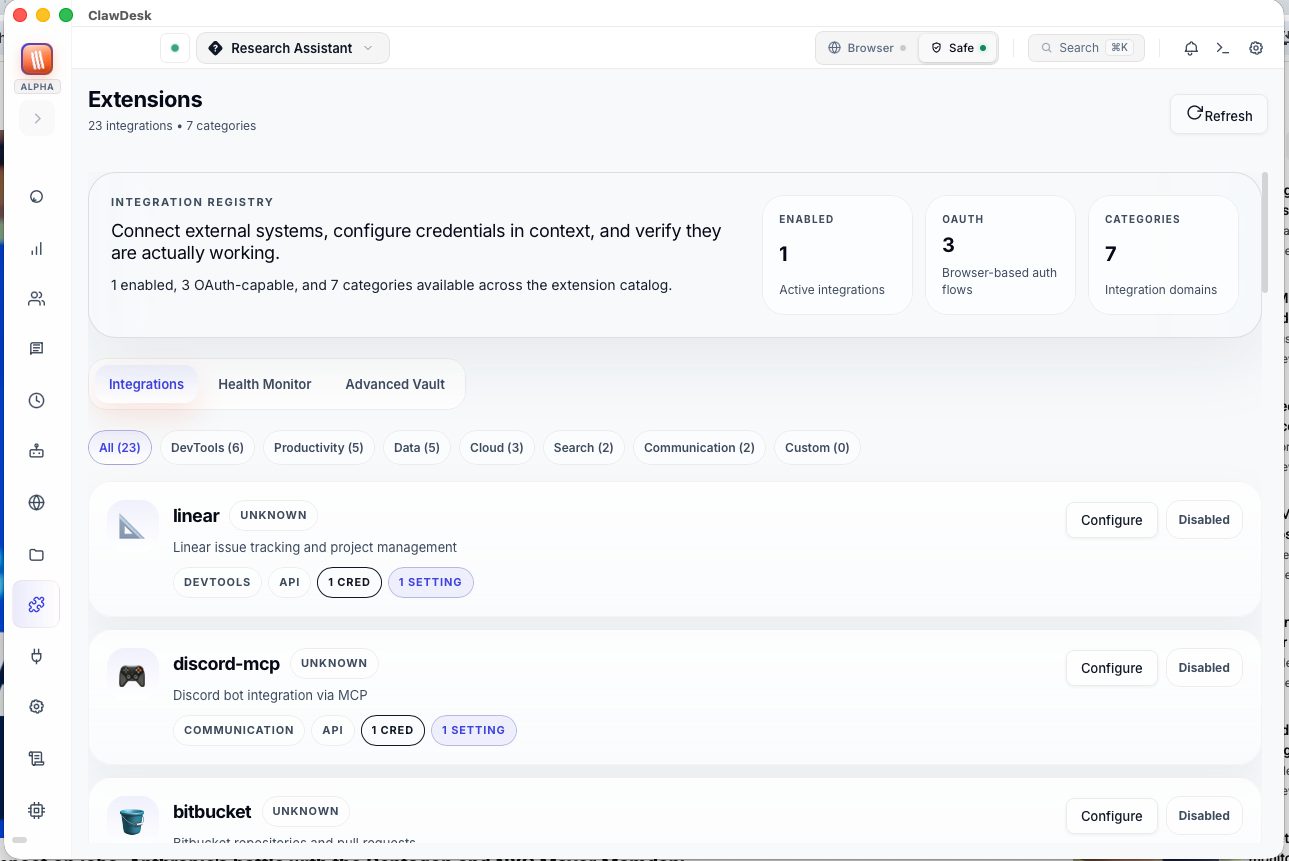
Connect ClawDesk to external services — GitHub, calendars, databases, and more. Manage credentials securely in the built-in vault.
MCP — Model Context Protocol
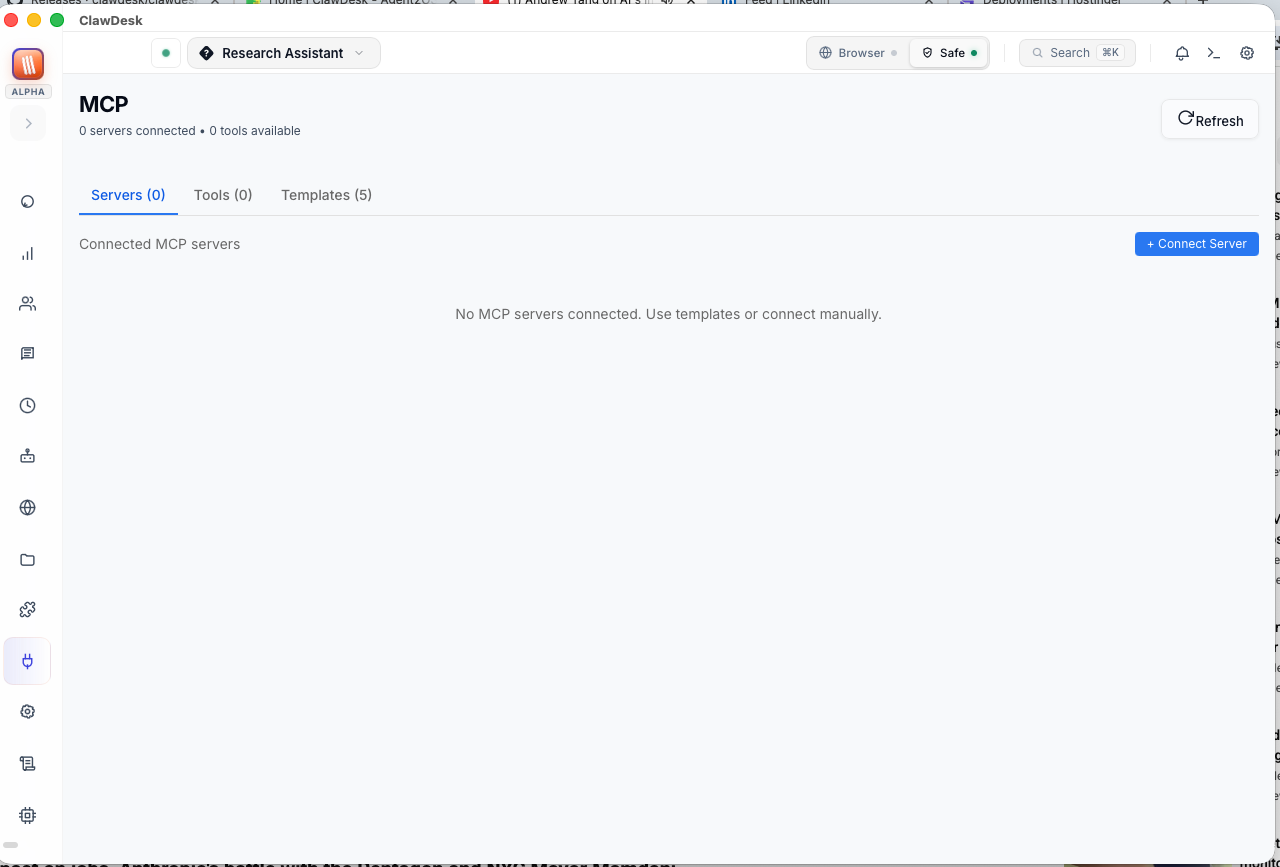
Connect MCP servers to give your agents powerful tools. File system access, web search, Git operations, database queries — the standard way to extend what AI can do.
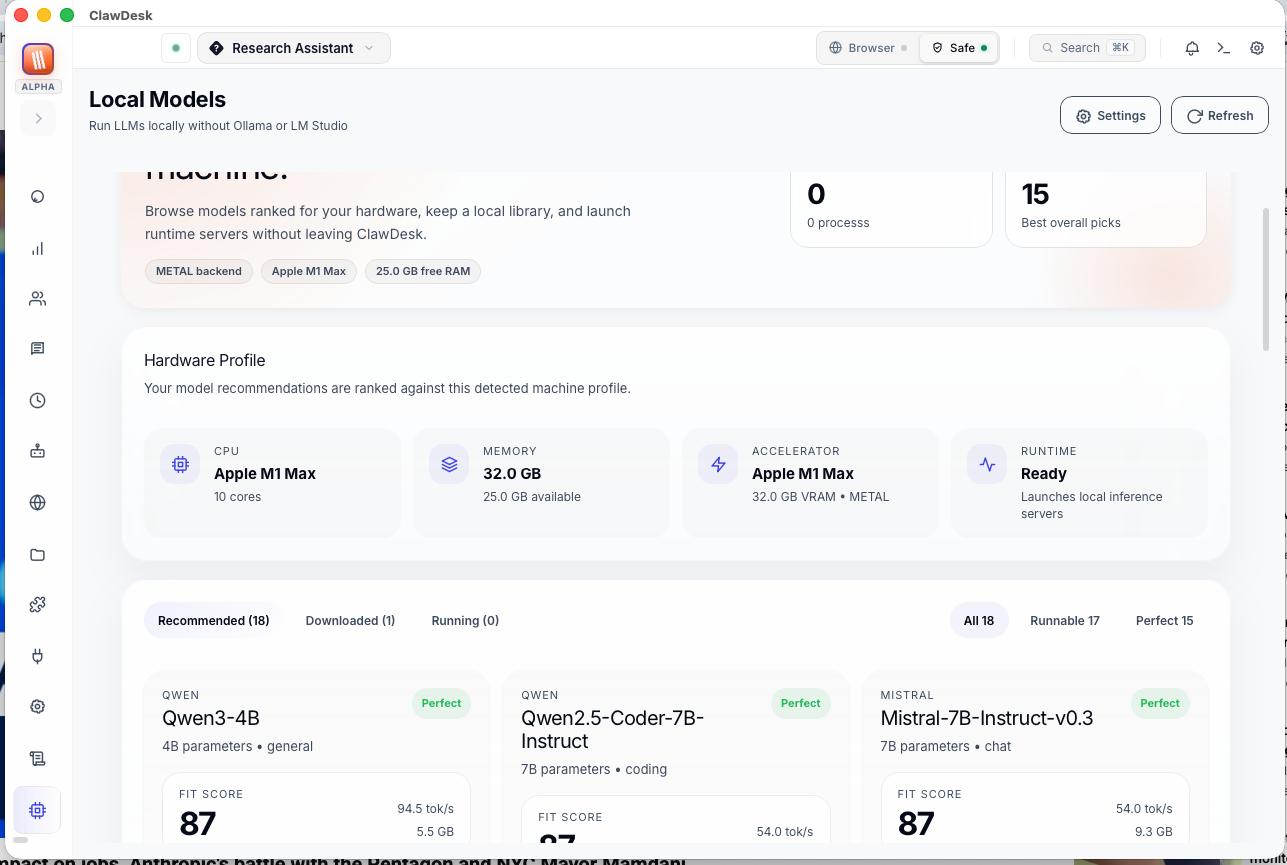
Local Models — Run AI on Your Computer
Download and run AI models directly on your machine — completely free, completely offline. ClawDesk detects your hardware and recommends models that will run well. See fit scores (Perfect, Good, Marginal) for each model.
Settings — Configure Everything
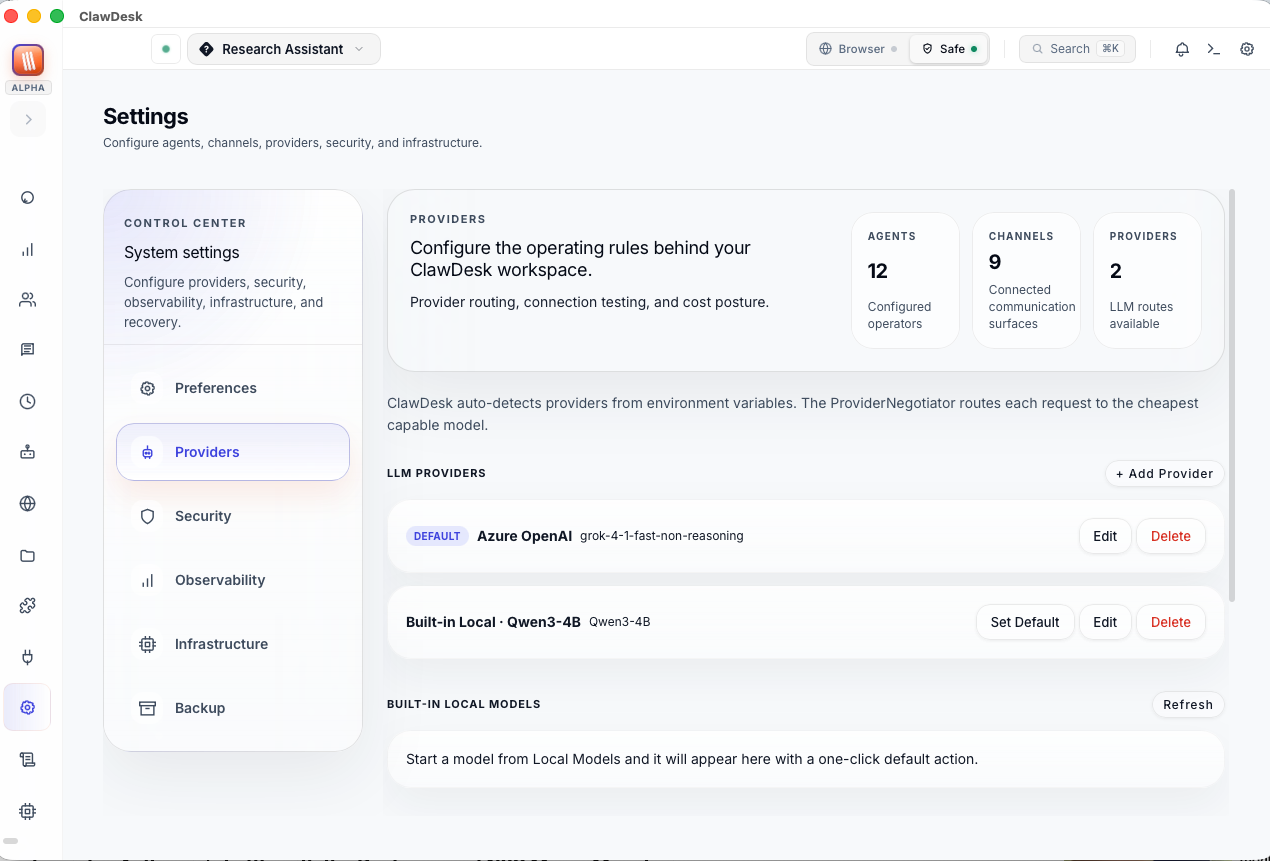
Your configuration hub. Add AI provider API keys, customize appearance, configure security, view performance metrics, manage backups. The Providers tab is where you add your Claude/ChatGPT/Gemini keys to get started.
A2A Directory — Agent Network
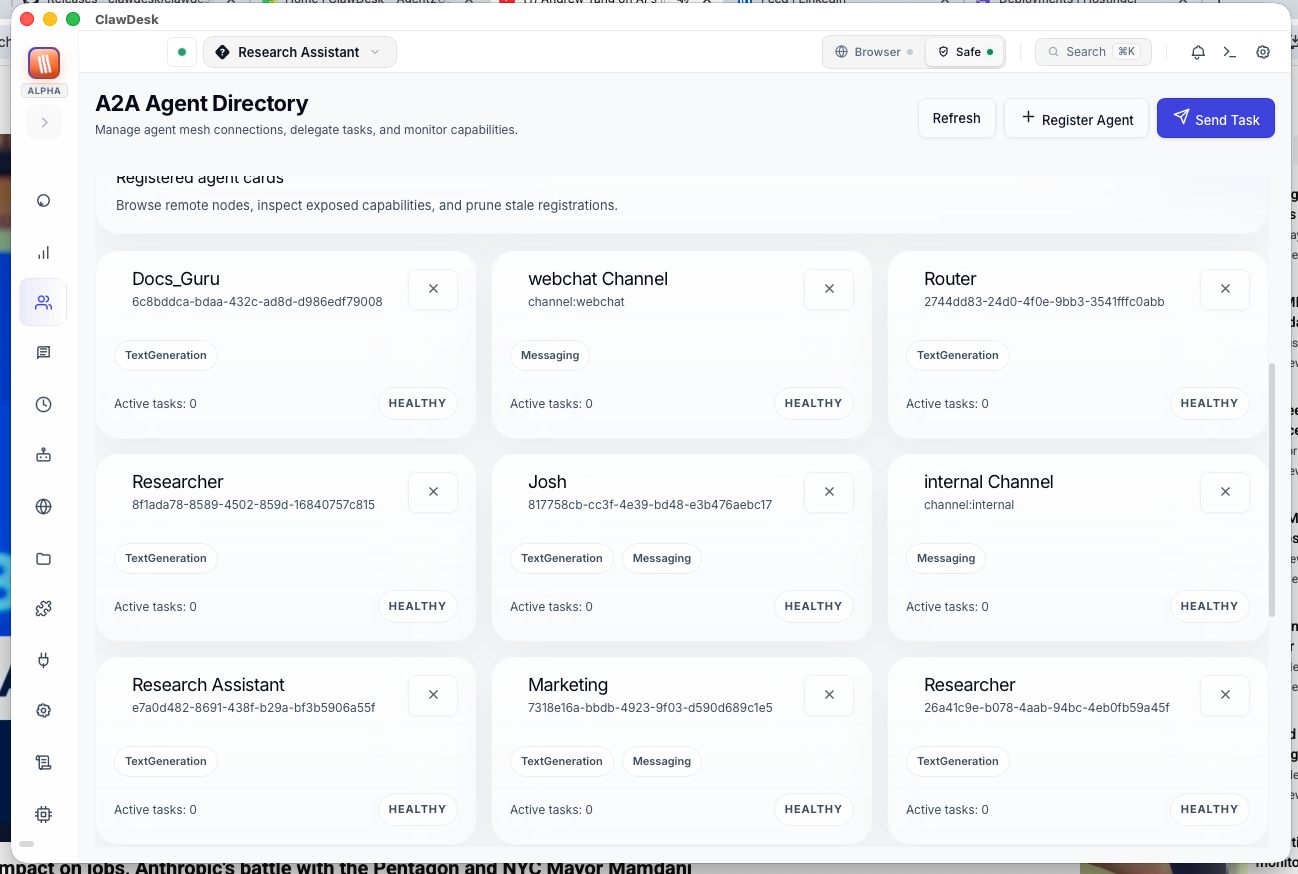
Advanced feature: Manage agent-to-agent communication. Browse federated agents, send inter-agent tasks, and view collaboration history.
Logs — Behind the Scenes
Real-time activity and error logs. Filter by severity level, search for specific events, and debug issues. Useful when something isn't working right.
Ready to Try It?
- Download ClawDesk → — Install in 2 minutes
- First Launch & Setup → — Configure your first AI provider
- Your First Chat → — Start talking to AI